

Updated April 2026
If you are deciding between TC2000 and Thinkorswim, here is the short answer: they are built for different jobs. TC2000 is a dedicated charting and scanning platform. Thinkorswim is a brokerage platform with strong built-in tools. Which one you need depends on what you are trying to accomplish as a trader.
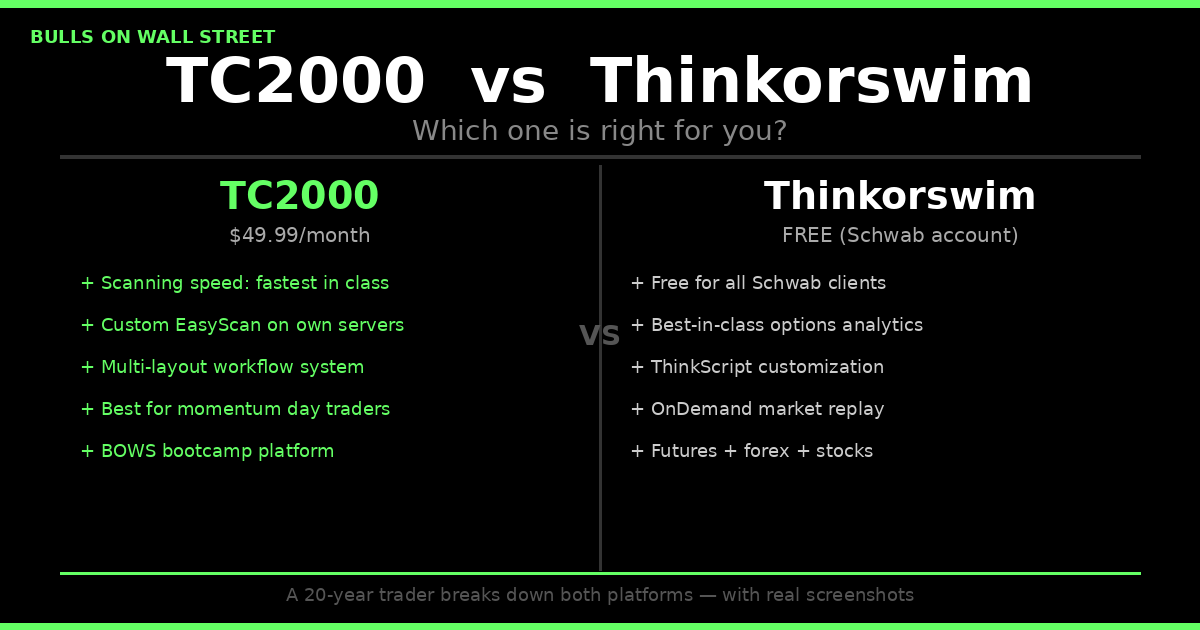
For most traders starting out, the decision comes down to cost and use case. Thinkorswim is completely free for Schwab account holders with $0 commissions on stocks and ETFs. TC2000 starts at $49.99/month for the Premium plan that active day traders actually need. If you trade options heavily and value best-in-class Greeks analysis and probability tools, TOS has real advantages. If you are scanning for momentum stocks daily and need the fastest pre-market scanner available to retail traders, TC2000 wins that comparison by a wide margin.
I have been using both platforms since 2007. I use Thinkorswim for my IRAs through Schwab. TC2000 has been my charting and scanning platform for nearly 20 years across every market cycle. For the full deep dive on everything TC2000 offers, see the TC2000 review. Below is the honest breakdown of both — what each one actually does well, where each one falls short, and who should be using which.
The Setup: How I Actually Run These Together
Before comparing features, you need to understand how professionals structure their workspace, because it changes how you think about this decision entirely.
I run 43-inch Dell monitors. One monitor is vertical. On that vertical monitor I stack three TC2000 layouts on top of each other: my main trading layout at the top, then two 6-window layouts below it showing my active watchlist stocks on 5-minute charts. On the second monitor I have my brokerage platforms side by side.

When you work this way, the line between your charting software and your broker platform disappears. Everything is right next to each other. You are reading TC2000 charts on one screen and executing through E*Trade Pro or Schwab or IBKR on the other. It is seamless. You would never know which monitor has the charting and which has the brokerage unless someone told you. The trading equipment setup matters more than most traders realize when they are evaluating platforms.
That context matters here because the question is not which platform you should use for everything. The question is which platform is better at each specific job.
TC2000: Built for Scanning, Charting, and Speed
TC2000 is purpose-built for technical analysis and stock scanning. That singular focus is both its greatest strength and the source of every limitation people complain about.
Scanning Speed
This is where TC2000 has no real competition at the retail level. The EasyScan engine runs on TC2000's own servers and processes thousands of symbols in two seconds. Not 30 seconds. Not 10 seconds. Two seconds.
My morning routine runs on this. If you are also comparing TC2000 to TradingView, that breakdown is in the TC2000 vs TradingView comparison. Before 9:30 AM I have my liquid gainers scan, my top losers scan, and my high-of-day momentum scan all firing in real time. By the time the market opens I know exactly which 10 to 15 names I am watching and where my levels are. That preparation window is everything in day trading. The stocks that make the first 30 minutes of trading rewarding are almost always the ones that showed up on a pre-market scan, not ones you discovered after the open.
You can download the exact momentum scanner I run every morning directly at tc2000.com/~QOY8kL. The layout I use for day trading, with all scans configured, is at tc2000.com/~TCwSwf. These are the exact same tools I use with students in the 60-Day Trading Bootcamp.
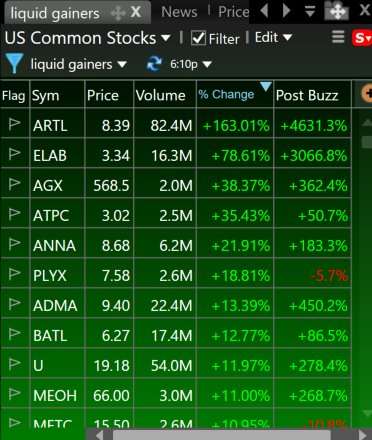
Chart Speed and Layout Customization
Thinkorswim loads charts with a noticeable delay when you type in a new ticker. It can take 5 to 10 seconds. TC2000 is essentially instantaneous. When you are flipping through 100 charts in the evening doing your homework, that gap compounds fast. 10 seconds per chart is 17 minutes of dead time across 100 stocks. TC2000 gets through the same 100 in under 5 minutes using the spacebar flip feature.
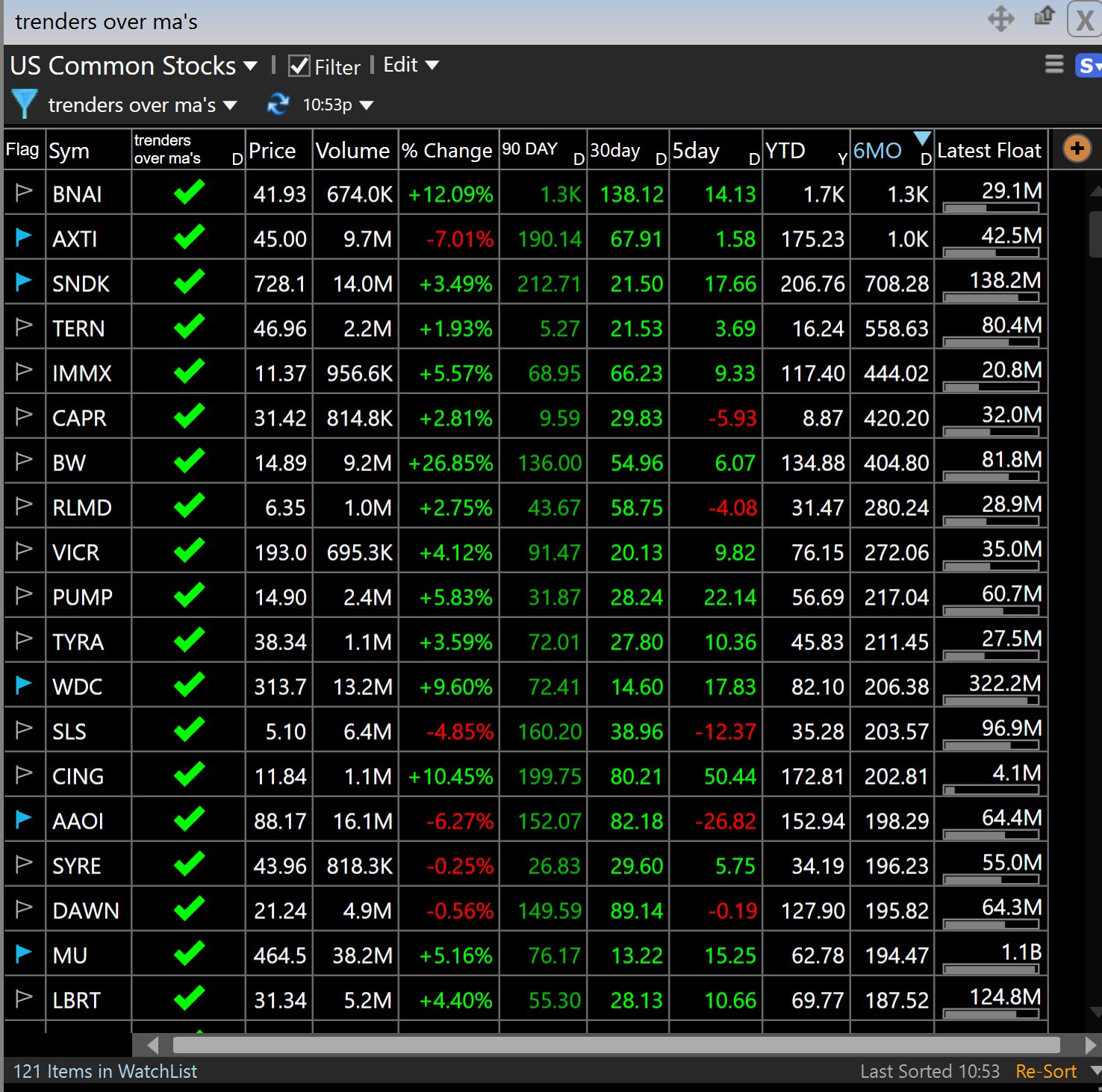
The layout system in TC2000 is also in a different category. I have one layout for pre-market scanning, one for active day trading, one for swing trade review, and separate 6-window layouts for different watchlists. Switching between them is instantaneous. Building them is intuitive. Thinkorswim's layout system is functional but clunky by comparison. It works but it does not feel like it was designed for traders who need to move fast.
The PCF Formula System
Personal Criteria Formulas are TC2000's most underrated feature. PCF lets you write custom scanning conditions in plain logic: if this indicator crosses that level, under these volume conditions, over this timeframe, and scan the entire market for that condition in real time. You can share PCF conditions with other traders, import them directly, and layer multiple conditions into complex screens.
Thinkorswim has thinkScript, which is more powerful on paper. But it is also a full programming language with a learning curve that most retail traders never actually get through. PCF is accessible to any trader who understands their own setup criteria. That difference matters for 95% of the people reading this.
Pricing
TC2000 runs $24.99 to $99.99 per month depending on the plan. Real-time U.S. stock data is now included in all plans at no extra charge. Use the BOWS referral link for $40 off your first month. Full pricing breakdown is in the TC2000 pricing guide.
Thinkorswim: Free, Powerful, and Better for Specific Use Cases
Thinkorswim is now owned by Charles Schwab following the TD Ameritrade acquisition that completed in 2023. It is completely free for all Schwab account holders. No subscription fee. $0 commissions on stocks and ETFs, $0.65 per contract on options. That value proposition is legitimately hard to argue with.
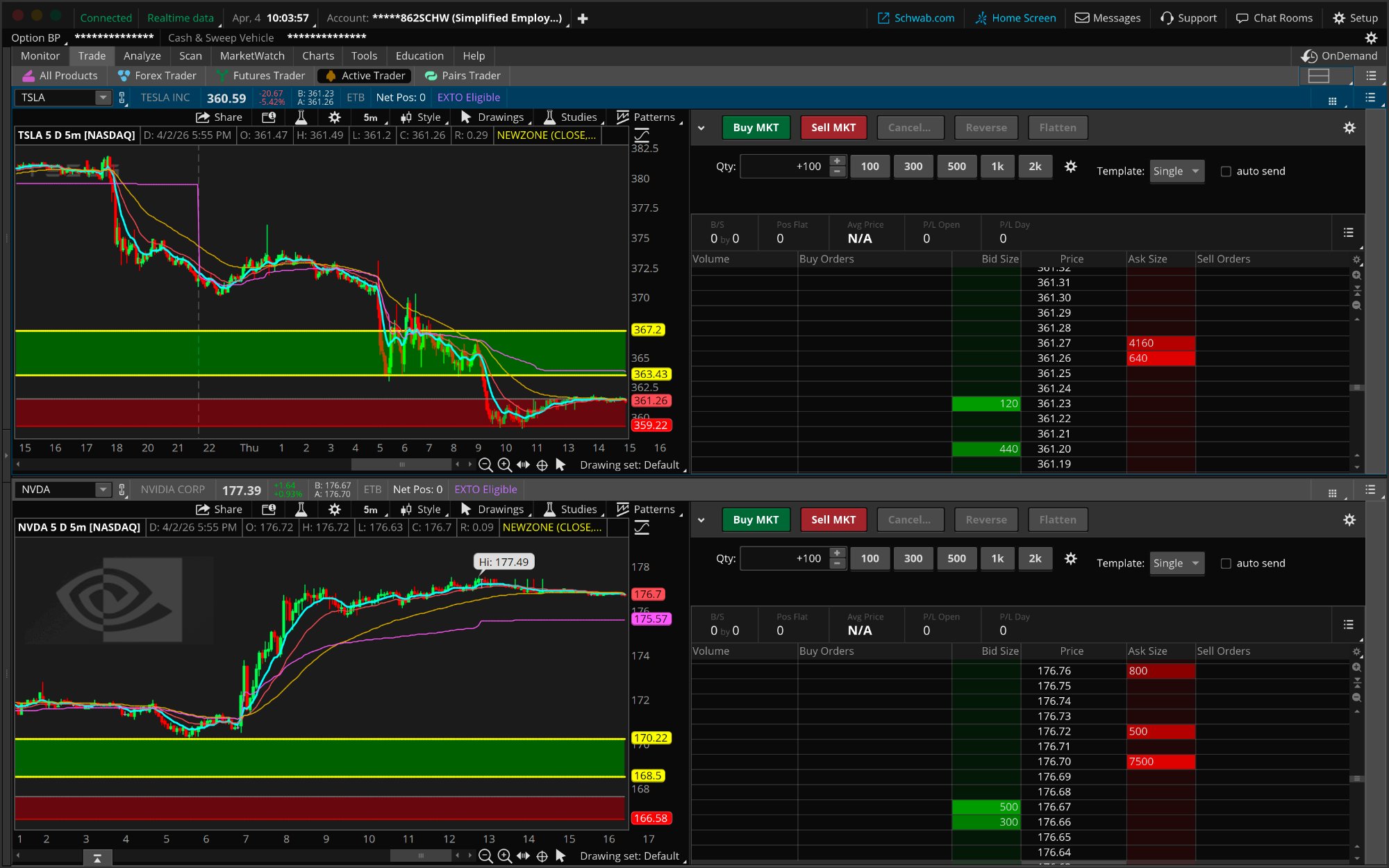
I have used TOS since 2007. It genuinely looks almost identical to how it did back then, which is either reassuring or concerning depending on how you think about software development. For me there is a certain comfort in the familiarity. The muscle memory is there, but that muscle memory does not make me reach for it as my primary charting tool.
Where Thinkorswim Is Genuinely Better
Options probability and strategy analysis. TOS was built by options traders. Tom Sosnoff founded it in 1999 specifically for retail options flow. The probability analysis, risk curves on spreads, Options Hacker scanner, and ThinkBack historical options data are genuinely strong. For complex options strategies where you want to model payoff diagrams and probability of profit, TOS goes deep.
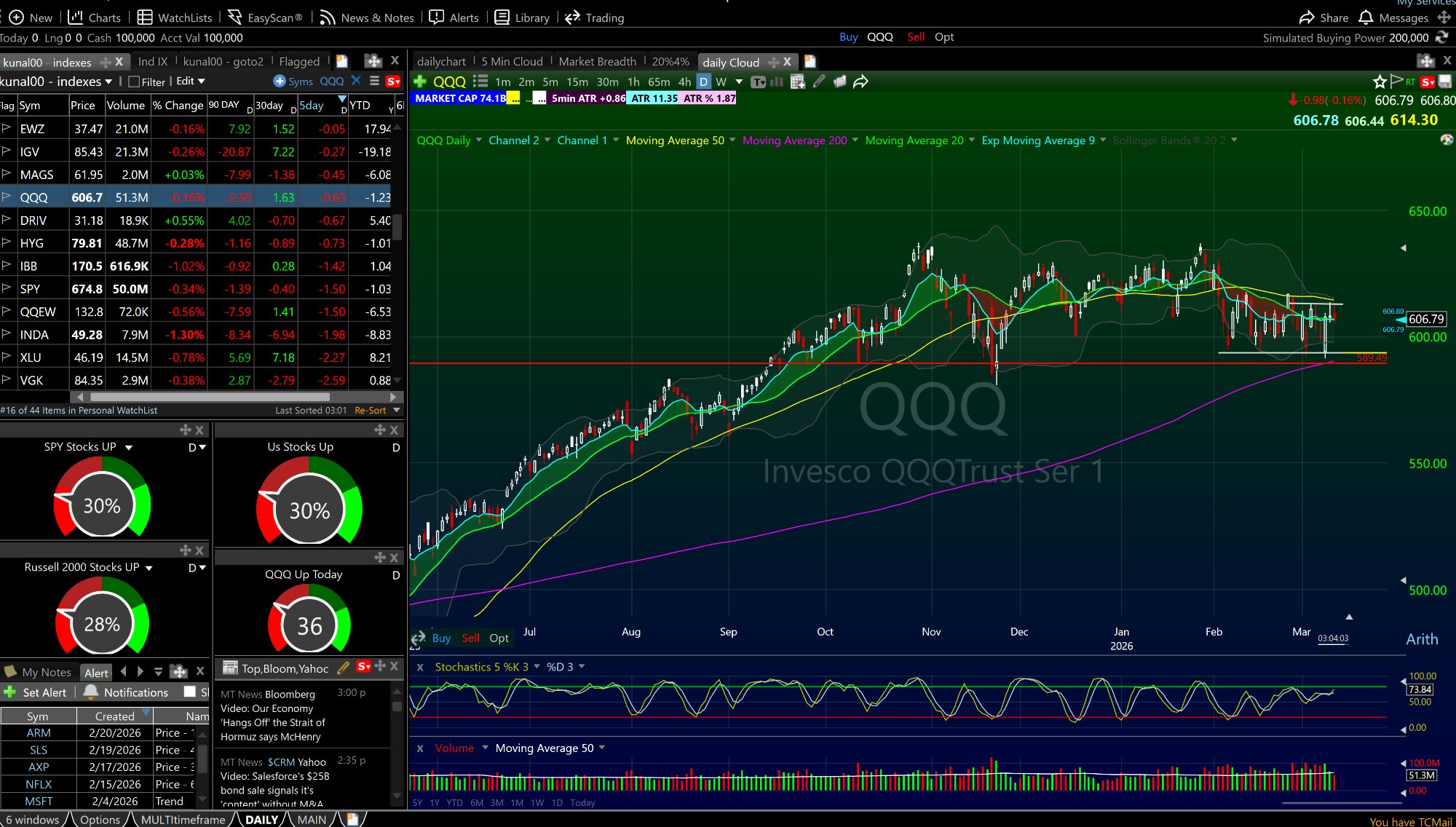
Worth being clear about TC2000 on options though. The layout is fully customizable via widgets — you can build a single screen with your daily chart, 5-minute chart, and a full options chain showing Delta, Vega, Theta, Gamma, ITM/OTM, and Time Value all at once. ATR, float size, and share characteristics sit right in the chart header. Change the colors, rearrange it, make it exactly what you need. That layout flexibility is something TOS cannot match. Where TOS specifically wins is the analytics layer — probability of expiring worthless, historical volatility overlays, the strategy modeler. If those tools are core to how you trade options, TOS is the right call. If you want everything visible on one clean screen your way, TC2000 holds its own.
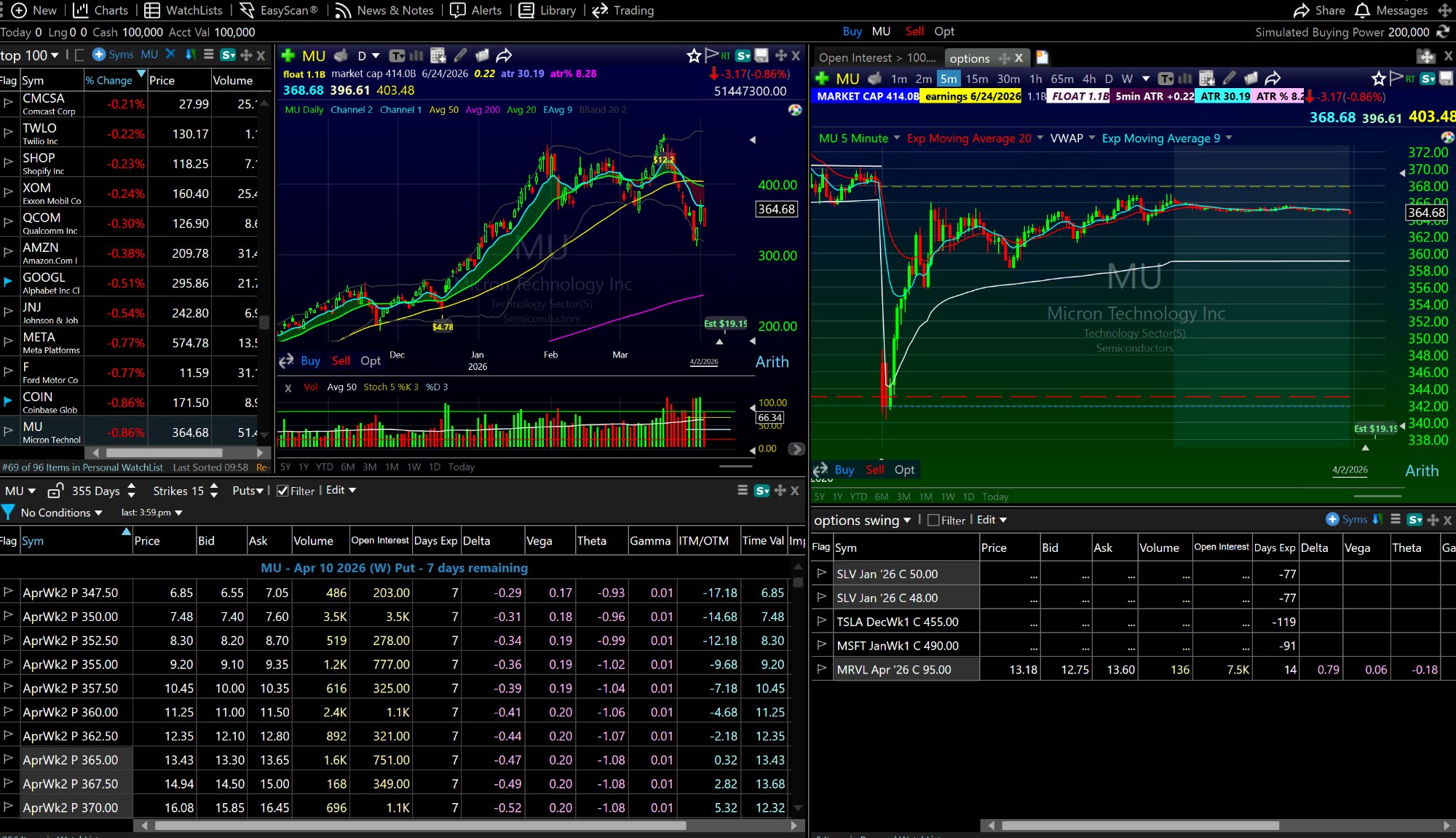
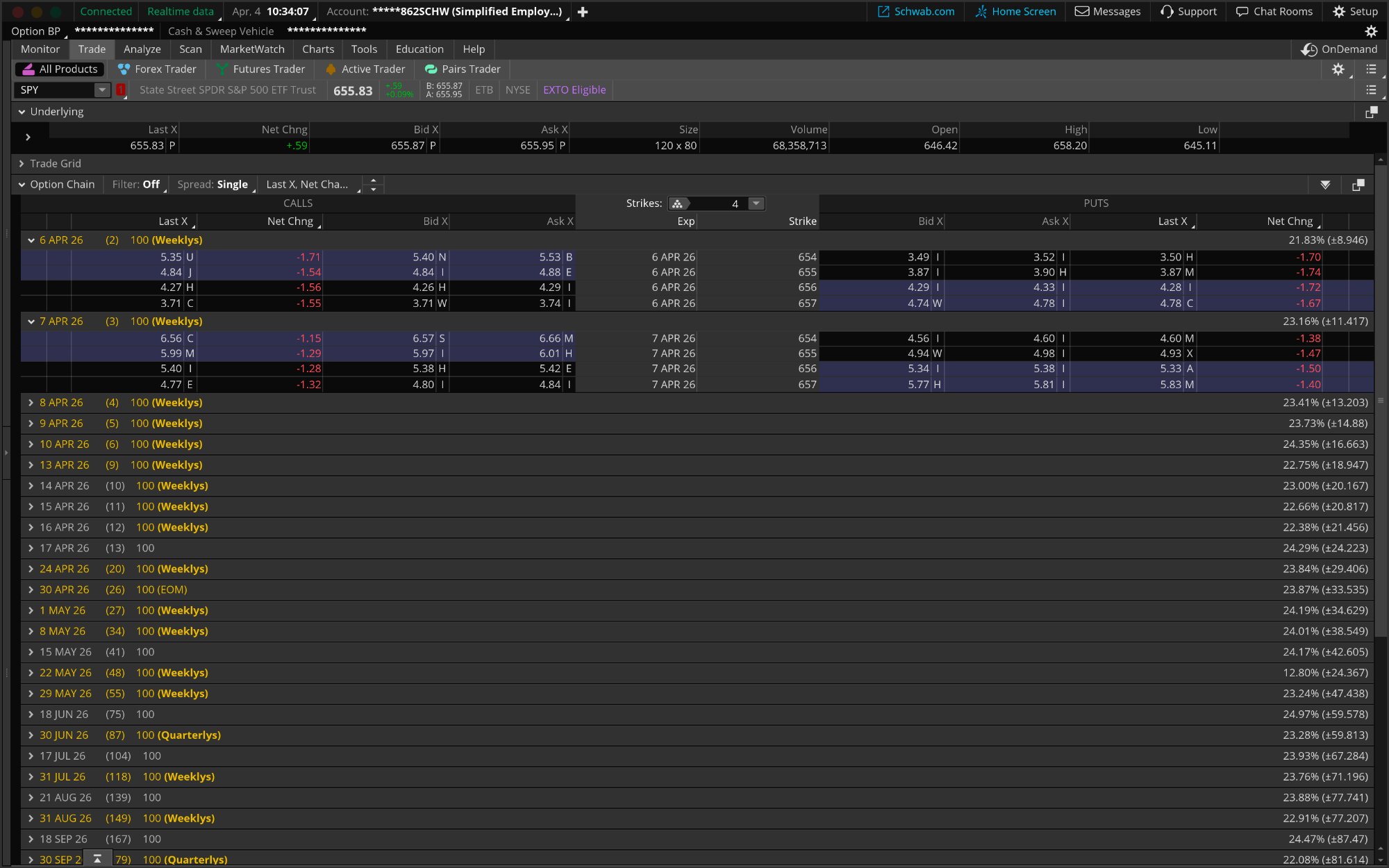
The TOS options chain covers every strike and expiration cleanly. What it does not do is show you the chart and the chain on the same screen simultaneously. That context — seeing the daily trend, the intraday setup, and the options strikes in one view — is where TC2000's customizable layout has the edge for traders who watch both.
ThinkScript. For traders who want to build fully custom indicators, strategies, and conditional orders using a programming language, thinkScript is more capable than TC2000's PCF system. The ceiling is higher. The learning curve is steeper. But if you are willing to put in the work, you can build things in TOS that TC2000 cannot replicate.
Market replay via OnDemand. TOS has a feature called OnDemand that lets you select any historical date and replay the market exactly as it happened, with tick-level data flowing into your charts and order entry in real time. You can practice trading the 2020 COVID crash or the 2021 GameStop squeeze with paper money. TC2000 does not have a market replay feature. On the raw market replay front, TOS wins.
That said, there is a better version of replay for active traders who are already journaling: Tradezella, which is part of the BOWS tech stack at $49/month, has elite backtesting and trade replay built in. The difference is meaningful. TOS OnDemand replays historical market conditions. Tradezella replays your specific trades — your actual entries, exits, and results — so you can see exactly where your edge breaks down and why. For traders building a serious process, replaying your own trades is more useful than replaying the COVID crash with paper money. If you are already running Tradezella, you have the better version of this feature and you do not need TOS for it.
Futures and forex. TOS supports futures (/NQ, /ES, /CL), forex, and options on futures alongside stocks and ETFs. TC2000 is U.S. stocks and options only. If you trade multiple asset classes, TOS's broader coverage matters.
It is free. This is not a minor point. A funded Schwab account gets TOS at zero cost. For a trader who is early in their journey and watching every dollar, free is meaningful.
Where Thinkorswim Falls Short for Day Trading
I will be direct: I rarely use Thinkorswim for active day trading, and the main reason is execution quality.
The fills on Schwab are noticeably worse than ETrade Pro, especially in the morning when volatility is highest and every cent of slippage matters. In the first 30 minutes of the trading day, when I am trading momentum stocks on news or catalysts, I want the fastest and cleanest fills I can get. ETrade Pro has been my go-to for day trading for years specifically because the execution is reliable and commissions are free. Schwab moves more slowly in that environment.
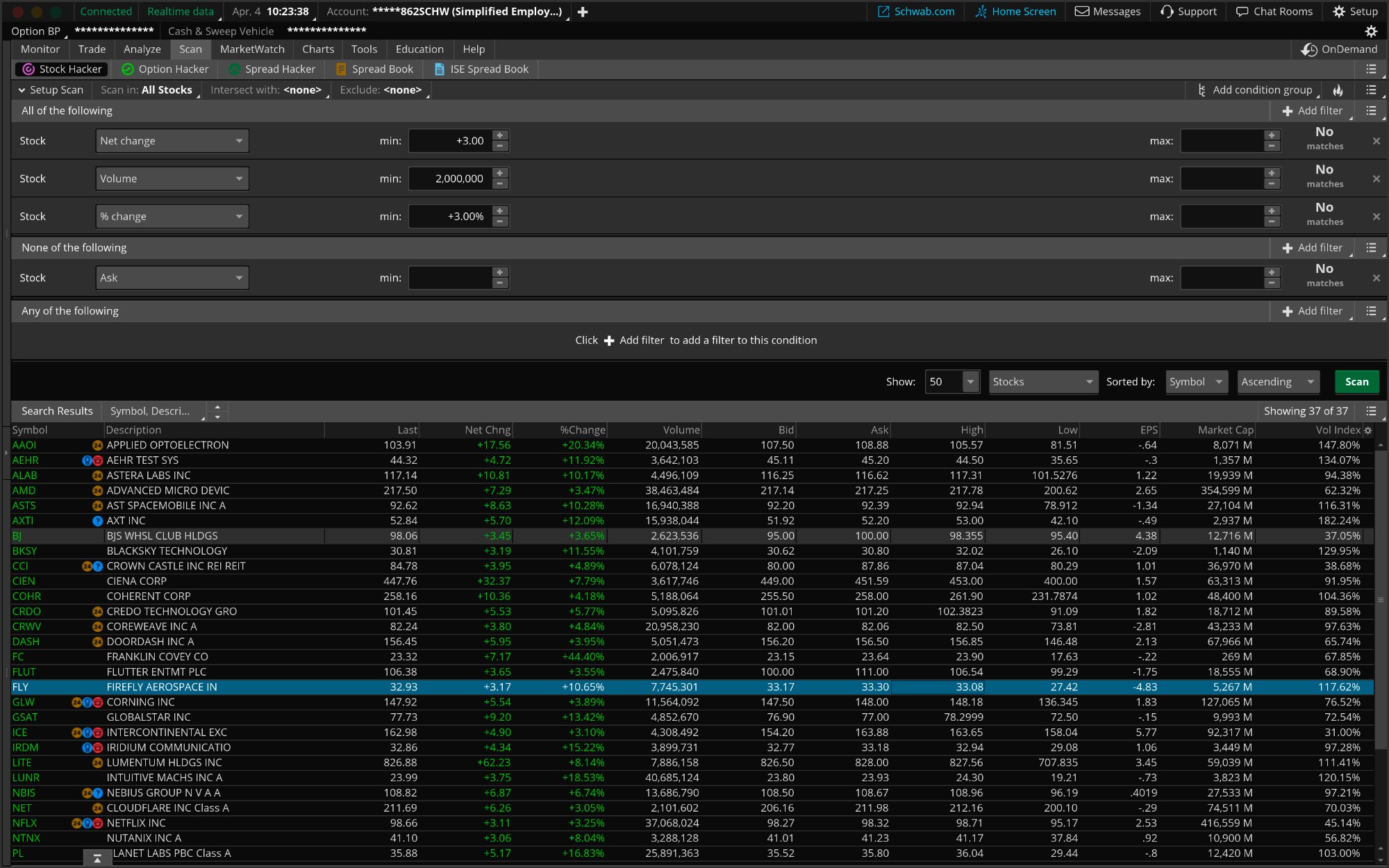
The scanning tools in TOS also do not match TC2000's speed. The Stock Hacker scanner is capable but slower. It runs client-side rather than on dedicated servers, and it shows. In a fast pre-market environment, slow scans mean missed setups.
The interface is also genuinely cluttered for someone who wants a clean momentum trading workflow. TOS was designed to do everything for everyone. TC2000 was designed to chart and scan stocks faster than any other platform. That design difference shows up in every interaction.
Shorting Stocks: One More Factor Most Comparisons Skip
If you short stocks. You should understand how shorting works as part of a complete trading education, covered in the risk management guide, your brokerage's borrow inventory matters enormously.
Specialty brokers often charge significant borrow fees on hard-to-borrow shares. With E*Trade, in my experience, borrows are mostly free even on names that other brokers flag as hard-to-borrow and charge a significant daily rate on. That is a real edge on short setups that most traders do not think about until they get their first surprise borrow charge.
TOS through Schwab has decent borrow inventory but you will encounter fees on harder names. TC2000 has no brokerage component relevant to this decision. It is a charting platform, not a broker. Your borrow situation is entirely a broker decision separate from your charting tool.
Direct Comparison: TC2000 vs Thinkorswim
Real-time scanning speed: TC2000 wins. Server-side EasyScan processes thousands of symbols in two seconds. TOS is client-side and noticeably slower.
Charting speed: TC2000 wins. Ticker changes are instantaneous. TOS can take 5 to 10 seconds per chart.
Layout customization: TC2000 wins. Multiple saved layouts, 6-window views, instant switching. TOS is functional but less fluid.
Options analytics: Thinkorswim wins. Built by options traders. The tools are best-in-class at the retail level.
Custom indicators and programming: Thinkorswim wins on ceiling. ThinkScript is more capable than PCF but harder to learn. TC2000 wins on accessibility. PCF is usable without a programming background.
Historical market replay: Thinkorswim wins. OnDemand is unique. TC2000 has no equivalent.
Asset class coverage: Thinkorswim wins. Futures, forex, options on futures. TC2000 is U.S. stocks and options only.
Execution quality for day trading: Neither. This is a separate brokerage decision. TOS/Schwab has weak morning fills in my experience. E*Trade Pro is my primary execution platform regardless of which charting tool I use.
Cost: Thinkorswim wins on paper, free for Schwab clients. TC2000 starts at $24.99/month. But paying $49.99/month for TC2000 Premium while using a free brokerage execution platform is still a total cost of $49.99/month, which is a reasonable tech stack for a serious trader.
Mac compatibility: Both work on Mac. TOS has native Mac support. TC2000 requires Parallels or the web version on Mac.
Which Platform Should You Use?
The answer is not one or the other. It is both, for different jobs.
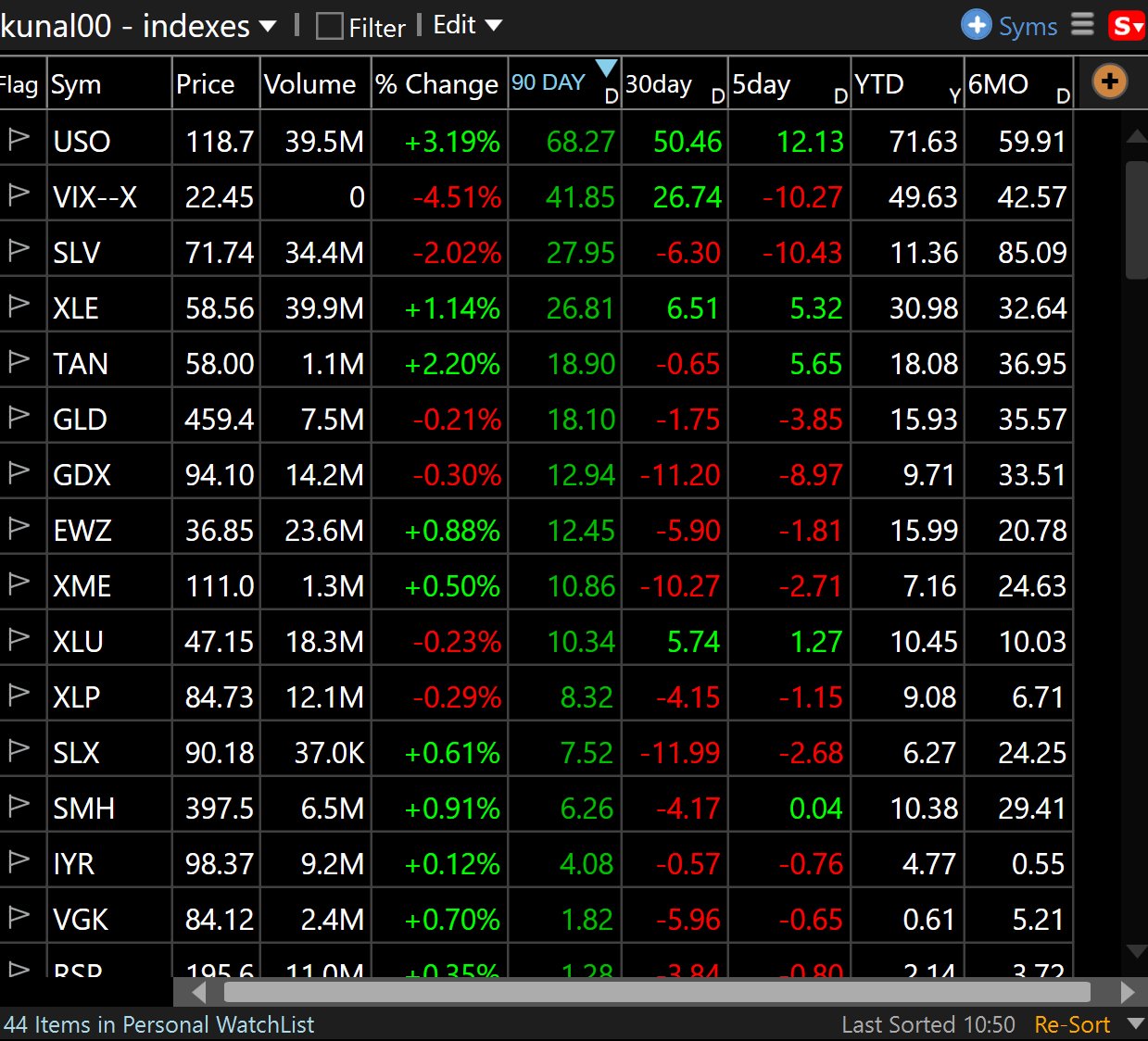
Use TC2000 for: Your pre-market scanning. Your chart analysis. Your layout and watchlist workflow. Your real-time momentum tracking during the trading day. The day trading strategies taught at BOWS are built around TC2000's scanning and charting capabilities.
Use Thinkorswim for: Options analytics if you trade options. IRAs and retirement accounts where the free platform and $0 commissions make sense. Market replay for practice and strategy development. ThinkScript if you want to build custom indicators.
Use a separate execution brokerage for active day trading: E*Trade Pro, Interactive Brokers, or a prop firm platform depending on your account size and trading style. Your charting platform and your execution broker do not have to be the same. For most active traders they should not be.
If you are early in your trading journey and watching costs, here is the path: Open a Schwab account and get TOS for free. Start learning charts and paper trading. Then add TC2000 Premium at $49.99/month once you are consistently running a pre-market routine that requires real scanning power. Use the BOWS $40 discount to make the first month effectively free.
The TC2000 vs Thinkorswim workflow, specifically how I set up the dual monitor system with TC2000 layouts on one monitor and execution platforms on the other, is something I am covering in a short Loom video series. Video 5 in that series walks through exactly this setup: how to arrange your TC2000 layouts alongside TOS or any other brokerage, how to think about which tasks belong on which screen, and the actual layout I use on my 43-inch verticals.
Subscribe at youtube.com/@kunaldesaitrading to catch that video when it drops. The layout download for TC2000 is already available at tc2000.com/~TCwSwf. You can import it directly and be running the same setup I use from day one.
FAQ: TC2000 vs Thinkorswim
Is TC2000 better than Thinkorswim?
For scanning and charting U.S. momentum stocks, TC2000 is better. It is faster, more focused, and built specifically for that workflow. For options analytics, historical replay, and multi-asset trading, Thinkorswim has real advantages. Most active day traders benefit from using TC2000 for charting and a separate broker for execution.
Can I use TC2000 and Thinkorswim at the same time?
Yes and that is exactly how many professional traders run their setup. TC2000 handles charting and scanning on one monitor. TOS or any other platform handles execution on another. They are independent tools that complement each other.
Is Thinkorswim free?
Yes. Thinkorswim is completely free for all Schwab account holders. There is no software subscription fee. Schwab charges $0 commission on stock and ETF trades and $0.65 per contract on options.
Does TC2000 have a brokerage?
Yes. TC2000 Brokerage is a FINRA and SIPC registered broker-dealer. Stock trades are $4.95 flat and options are $2.95 plus $0.65 per contract. Most active day traders keep TC2000 as a charting platform and execute through a separate commission-free brokerage.
Is TC2000 good for options trading?
TC2000 has options charting and the ability to plot options data. For basic options analysis it is functional. For serious options traders who need probability curves, Greeks visualization, and advanced spread analysis, Thinkorswim's options tools are more comprehensive.
Does Thinkorswim have real-time scanning?
Yes, through the Stock Hacker scanner. It is capable but slower than TC2000's EasyScan because it runs client-side rather than on dedicated servers. For pre-market momentum scanning where speed matters, TC2000 is faster.
Which platform is better for beginners?
Both have learning curves. Thinkorswim is free, which lowers the barrier to start. TC2000 is more intuitive for the specific workflow of scanning and charting momentum stocks. If you are learning to day trade the BOWS system, TC2000's layout and scanning tools are what the curriculum is built around.
What broker does Kunal use for day trading?
E*Trade Pro is the primary execution platform for active day trading: free commissions, reliable execution,, reliable execution, strong borrow availability for shorting. Schwab/TOS handles IRAs. Interactive Brokers and Guardian Trading cover additional accounts. TC2000 handles all charting across every account regardless of broker.
Can Thinkorswim replace TC2000?
For options traders who do not need TC2000's scanning speed, TOS can cover a lot of ground. For active momentum day traders who run pre-market scans and need to flip through hundreds of charts at speed, TC2000 is not easily replaced. The scanning infrastructure is genuinely different.
Is TC2000 worth paying for if Thinkorswim is free?
If you are actively day trading momentum stocks and running a real pre-market scan routine, yes. TC2000 at $49.99/month for Premium is a professional charting and scanning tool. The productivity gains in your pre-market preparation and intraday analysis justify the cost quickly. Use the BOWS discount link for $40 off your first month.
Ready to build the trading setup that separates serious traders from casual ones? The 60-Day Live Trading Bootcamp walks you through scanner setup, chart configuration, risk management, and live execution alongside Kunal trading in real markets every morning. It is the fastest way to build the workflow that the pros actually use.
About the Author
Kunal Desai is the CEO and founder of Bulls on Wall Street. A professional trader since 2007, he has navigated every major market cycle -- from the 2008 financial crisis to today's high-volatility environments. Having mentored 7,000+ students through his live trading bootcamps, Kunal trades live every morning in the Bulls on Wall Street Trading Chatroom and is dedicated to teaching real-world execution and high-probability strategies. Based in Miramar Beach, Florida.
Connect with Kunal: Read his full story | Instagram | YouTube