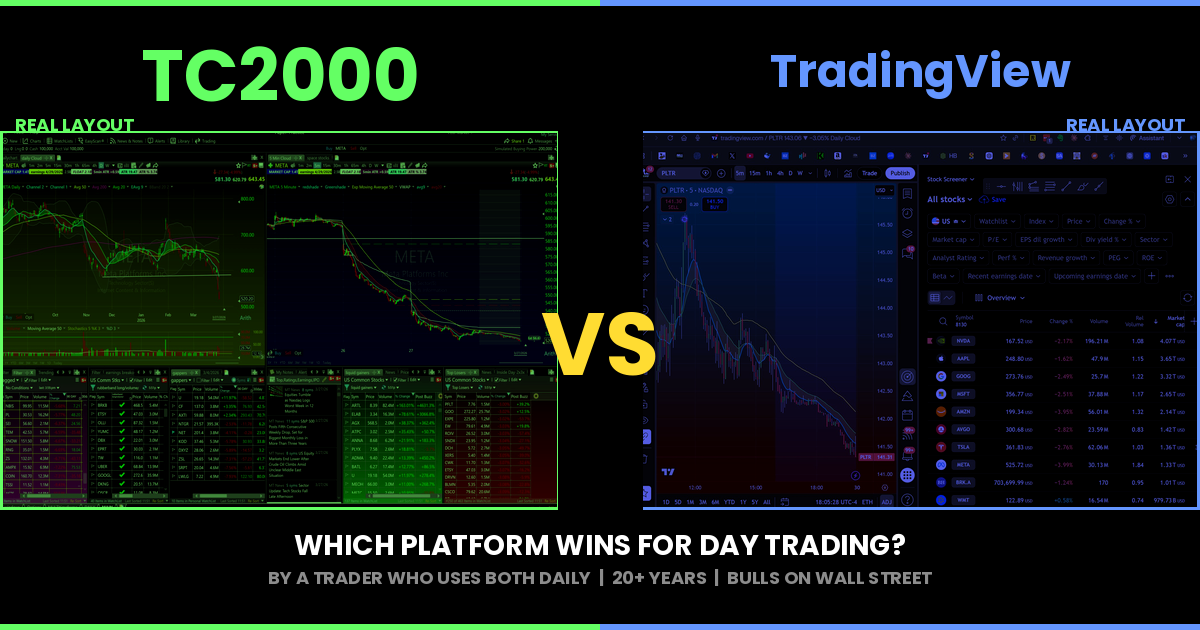


TC2000 vs TradingView: An Honest Comparison From a Trader Who Uses Both
I pay for both platforms. TC2000 is open on my desktop right now. TradingView Premium is open in a Chrome tab. I have used TC2000 since the early 2000s and TradingView since it launched. Most comparison articles you will find online are written by affiliate reviewers who tested each platform for a week and scored features on a spreadsheet. I trade with these tools every single day. This is a different kind of comparison.
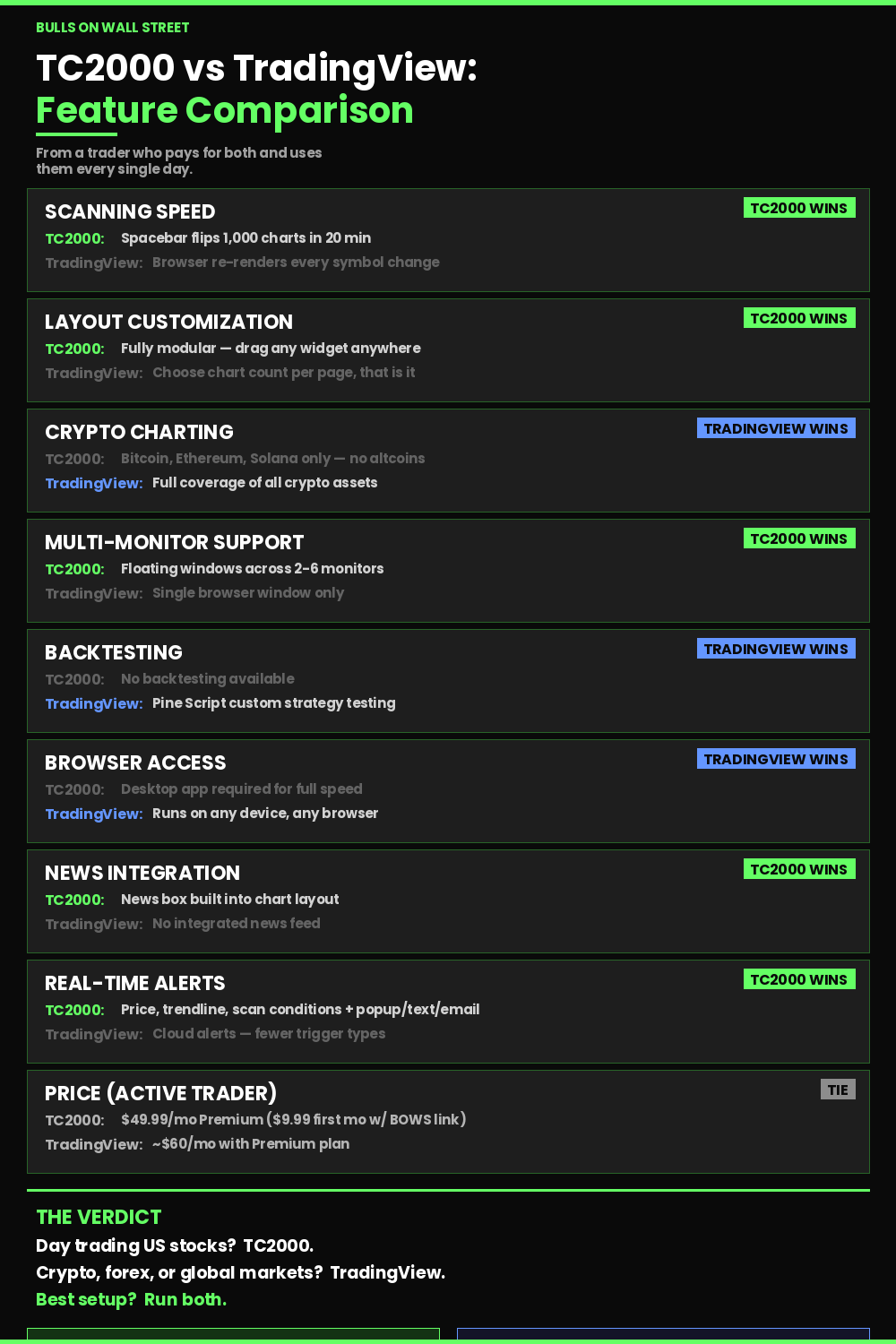
If you want the short answer: TC2000 wins for active stock trading. TradingView wins for crypto and futures. If you trade momentum stocks and need fast scanning, there is no contest. If you trade Bitcoin and Ethereum, TradingView is the better tool. The real question is what you trade and how you trade it.
Updated March 2026
Why This Comparison Matters
Choosing charting software is one of the few decisions that directly affects your execution speed. The wrong platform costs you money in missed entries, slow scans, and clunky layouts that break your focus during market hours. I have seen students in our 60-Day Live Trading Bootcamp struggle with platforms that looked great in a YouTube demo but fell apart at 9:31 AM when 200 stocks were gapping and they needed to find the best three setups in under two minutes.
Your charting platform is your cockpit. Everything runs through it. Your scans, your charts, your alerts, your watchlists, your execution decisions. Getting this wrong is like a surgeon using dull instruments. The procedure might work, but you are fighting your tools the entire time.
I have been trading since 1999 and went full-time at the end of 2007. In that time I have used TC2000, TradingView, Thinkorswim, StockCharts, Stockfetcher, eSignal, and a few others that no longer exist. The two that survived in my workflow are TC2000 and TradingView, and they serve completely different purposes.
The Scanning Speed Difference Changes Everything
This is the single biggest reason TC2000 wins for stock traders. It is not even close.
TC2000 has a feature where you can flip through charts using the spacebar. Load a watchlist of 200 stocks. Hit spacebar. Next chart. Spacebar. Next chart. I can review 1,000 charts in 20 to 30 minutes doing this. Each chart loads instantly with all my indicators, moving averages, and the Bone Zone shading between my 9 EMA and 20 EMA already applied. No lag. No buffering. No waiting for candles to populate.
TradingView cannot do this. You can flip through a watchlist, but the chart rendering is slower. Every symbol change requires the browser to re-render the entire chart. On a 200-stock watchlist, that lag adds up to minutes. During market hours, minutes are everything.
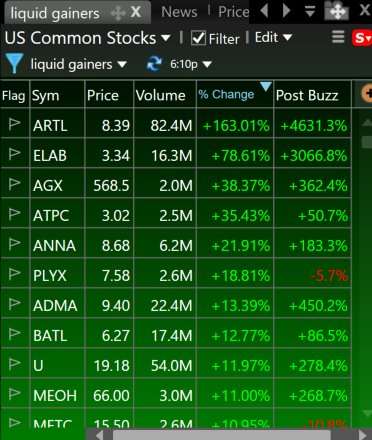
The night before every trading day, I run my scans in TC2000 to build my watchlist. I am looking for stocks with earnings, news catalysts, or strong technical setups on the daily chart. The EasyScan feature filters thousands of stocks in about two seconds using criteria I have built over 20 years. Relative volume above 2x average. Price above $5. ATR above $0.50. Gap percentage above 3%. The results populate instantly and I can start flipping through charts immediately. One of my go-to scans is the liquid gainers momentum scanner that ranks stocks by percentage change with a post-market buzz column showing after-hours momentum. You can download my exact momentum scanner here and load it into your TC2000 in seconds.
TradingView has a screener too, and it is solid. But the workflow is clunkier. You screen in one tab, then click through to individual charts. The experience feels disconnected compared to TC2000 where the scan results and the charts are in the same window and everything updates in real time as you scroll through your list.
On March 26th, Meta had news break that they lost a major court case in California. I caught it immediately in TC2000 because my layout couples scans with a news box. The stock showed up on my scan, I clicked it, the chart loaded instantly with my indicators, and right next to it the news box showed the headline. I shorted META on the opening range breakout pattern. Took a quick loss on the first attempt, re-entered on the second ORB setup, and caught a solid move down. In hindsight the stock kept falling for two days, but that is not my style. The point is this: the scan flagged it, the news confirmed the catalyst, and the chart was ready to trade, all in the same window within seconds. On a platform where you have to tab between a screener, a news feed, and a chart, you are already behind.
That is the power of TC2000's layout system. Everything is at your fingertips at once. If you want to see exactly how I set this up, download my main TC2000 layout with all my scans here. It includes my gapper scans, alert boxes, news windows, and chart templates with the Bone Zone shading already applied.

Where TradingView Wins
I am not going to pretend TC2000 does everything better. TradingView legitimately beats TC2000 in several areas, and that is why I still pay for a Premium subscription.
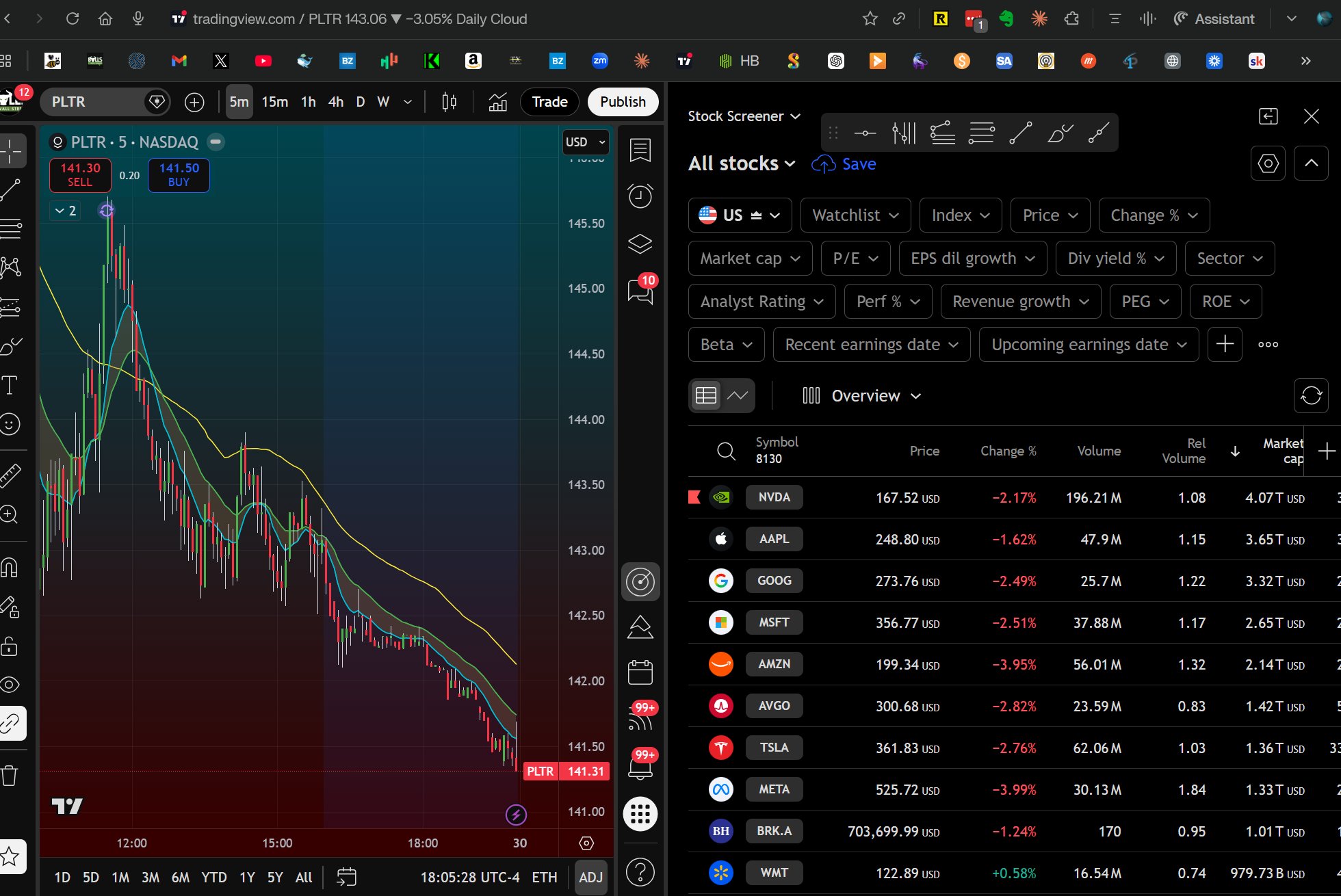
Cryptocurrency charting. TC2000 does not support crypto in any meaningful way. You can pull up Bitcoin, Ethereum, and Solana on TC2000, but that is about it. No altcoins. No DeFi tokens. No ability to build a comprehensive crypto watchlist. If you want to track the top 50 cryptocurrencies and flip through their charts looking for setups, you need TradingView. That is exactly what I do. I keep a list of the top 50 crypto assets in TradingView and flip through them every few days to see if anything catches my eye. Crypto has been dead for a while, but when it heats up again, TradingView is where I will be charting it. TradingView actually got famous because they were one of the first platforms to offer real cryptocurrency charts. They were ahead of everyone on that, and they are still the go-to for crypto charting today. This is TC2000's single biggest gap and the most common complaint I hear from students who want one platform for everything. For now, that one platform does not exist unless you are willing to sacrifice stock scanning speed.
Browser-based access. TradingView runs in any browser on any device. I can pull up charts on my phone, my iPad, my wife's laptop, a hotel business center computer. TC2000 has a web version, but I will be straight with you — it does not work that well for serious trading. It loads, it functions, but if you are trying to do fast real-time trading like scalping strategies, the web browser version has enough lag to cost you money. You really need the desktop application for that. I will say that TradingView's web browser is fairly fast. For a browser-based platform it is impressive. But it still cannot match a native desktop application for raw speed during the opening bell when every millisecond of chart rendering matters.
Community and idea sharing. TradingView has over 50 million users sharing chart ideas, custom indicators built in Pine Script, and trading strategies. TC2000 has no social component at all. If you are a newer trader who learns by seeing how other people mark up charts, TradingView's community is genuinely valuable. Once you have your own system dialed in, this matters less. But early in your journey it can accelerate learning.
Backtesting. TradingView lets you build and backtest custom strategies using Pine Script. TC2000 has no backtesting capability. If your edge depends on validating strategies against historical data before trading them live, TradingView is the clear winner here.
Global market coverage. TradingView covers stocks, forex, futures, crypto, and commodities from exchanges worldwide. TC2000 covers US and Canadian stocks and options only. If you trade international markets, the choice is made for you.
Charting: Both Are Excellent With Different Strengths
This is where the comparison gets nuanced because both platforms have genuinely excellent charting.
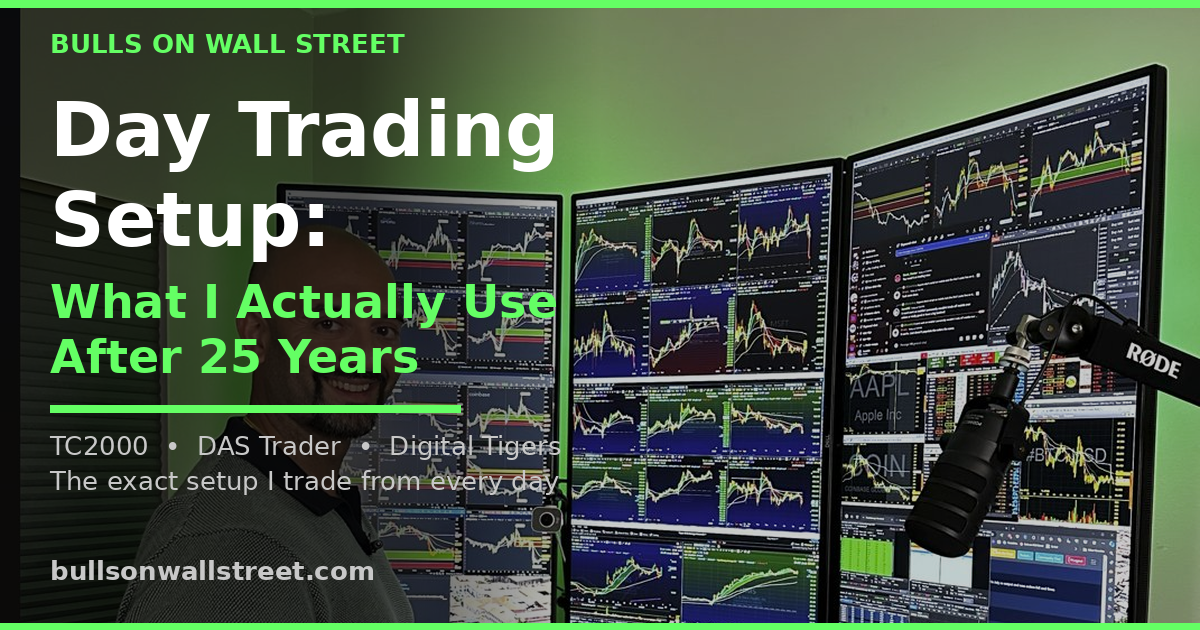
TC2000 gives you deep customization for layout design. I run a six-window layout during market hours. QQQ daily and 5-minute charts in the center for market context. Six surrounding windows showing my top stocks on 5-minute charts. I can flip between a day trading layout, a swing trading layout, and an options layout with one click. Each layout saves every indicator, every moving average, every color setting. Building these layouts in TC2000 feels natural and fast.
I have never left TC2000. It is the best platform I have ever used. But there have been a couple of times in my career where I seriously considered switching to TradingView, and both times it was because of hardware, not software.
Here is what happened. Windows computers freeze. They break down. Especially back in the day, you could have a supercharged custom trading computer loaded with the best specs money could buy and it would still crash more than a five-year-old MacBook with almost no compute power. Macs just work. They are faster, they have fewer problems, and if you are traveling, they are bulletproof. If you are stuck in the middle of Asia for two months and your Windows laptop dies, you are out of luck. If your Mac has an issue, which they rarely do, there is an Apple Store somewhere nearby and with AppleCare you can walk in, hand them your machine, and walk out with a replacement.
So a couple of times I tried to go all-in on TradingView so I could switch to a MacBook full-time. And every time I went back to Windows within a week. The customization just was not there. TradingView lets you choose how many charts you want on one page and that is about it. TC2000 is fully modular. You can take any widget they have — a chart, a scan window, a news box, an alert panel, notes — and drag it anywhere you want on your layout. You can build a completely custom cockpit that matches exactly how your brain processes information during market hours. TradingView is a great platform, but if you need that level of customization and widget control, it is not going to get you there.
TradingView handles multi-chart layouts, but the floating window support and monitor management in TC2000 is built for traders running two, three, or even six monitors. TradingView was designed for a single browser window.
According to Investopedia's guide on technical analysis tools, the quality of your charting platform directly impacts your ability to identify patterns and execute consistently. TradingView has more drawing tools, about 65 compared to TC2000's 28. If you are the kind of trader who draws Fibonacci fans, Elliott Wave counts, and Gann angles on every chart, TradingView gives you more to work with. For my style of trading, I need moving averages, VWAP, volume, and the ability to draw trendlines. Both platforms handle that equally well.
One thing TC2000 does that TradingView does not is let you plot fundamental data directly on the price chart. Earnings dates, insider buying, revenue data overlaid right on the candles. For swing traders who want to see when the next earnings report is relative to a breakout setup, that feature is surprisingly useful.
Alerts: TC2000 Wins for Active Traders
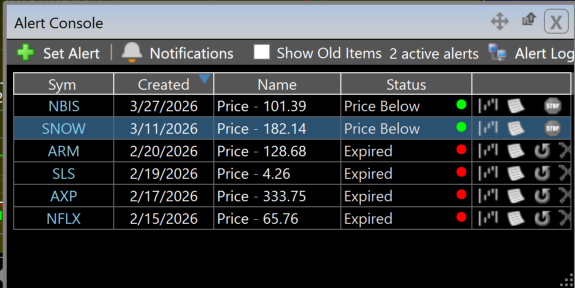
Setting alerts in TC2000 is fast and contextual. Right-click a trendline, set an alert. Right-click a price level, set an alert. The alert fires as a text, email, or popup. I set dozens of alerts every night on stocks approaching key levels so I do not have to stare at charts all day. When a stock hits my level, I get notified and make my decision.
TradingView has a strong alert system too, and the higher-tier plans allow more simultaneous alerts. But TC2000's alert system is on another level. You can set alerts on prices, trendlines, or scan conditions. That last one is the game changer — you get notified when any stock in the entire market meets your custom scan criteria in real time. The delivery options are better too. Popups on your desktop, text messages to your phone, email notifications. You choose how you want to be reached. TradingView has cloud-based alerts that work well, but the trigger types are more limited. You cannot set an alert on a scan condition in TradingView the way you can in TC2000. That is powerful for catching opening range breakouts and first pullback setups the moment they trigger.
Pricing Comparison (March 2026)
TC2000 and TradingView are priced similarly, but the value equation shifts depending on what you need.
- Free: Basic charts with delayed data, very limited
- Basic: $24.99/month — indicators, watchlists, paper trading
- Premium: $49.99/month — scanning, alerts, multi-monitor, drawing tools (this is the plan most active traders need)
- Premium+: $99.99/month — 1,000 alerts, real-time market pulse gauges
- Real-time data add-on: $9.99/month on any plan
- Annual billing saves roughly 17%
-
- Basic: Free — ad-supported, limited indicators, screener access
- Essential: $14.95/month — 5 indicators per chart, 20 alerts
- Plus: $29.95/month — 10 indicators, 100 alerts
- Premium: $59.95/month — 25 indicators, 400 alerts, auto chart patterns
- Annual billing saves roughly 16%
For a serious day trader, you are looking at TC2000 Premium ($49.99) plus real-time data ($9.99) = roughly $60/month. TradingView Premium is $59.95/month. Nearly identical cost. But with the BOWS referral link your first month of TC2000 Premium plus data comes to just $9.99 after the $40 credit — hard to beat that as a trial.
The difference is what you get for that money. TC2000 at $60/month gives you the fastest stock scanning available, multi-monitor support, powerful alerts, and a desktop application built for speed. TradingView at $60/month gives you global market coverage, backtesting, Pine Script custom indicators, community features, and browser-based access from any device.
If you are trading US stocks exclusively, TC2000 gives you more execution-relevant features per dollar. If you want one platform for stocks plus crypto plus forex, TradingView is the more complete package.
According to the SEC's investor education resources, choosing tools that match your specific trading style is a critical part of building a sustainable trading practice. There is no universally best platform — only the best platform for your workflow.
My Personal Setup: How I Use Both
Here is exactly what my workflow looks like every day.
- Pre-market: Run all scans, build watchlist, set alerts on key levels
- Market hours: All charting, all chart analysis, all
- Post-market: Review trades, scan for next day setups, update watchlists
- Screen sharing with bootcamp students — they see my TC2000 layout live
-
- Crypto analysis when I am looking at Bitcoin, Ethereum, or altcoin charts
- Futures charts when I want to check /ES or /NQ
- Quick chart checks from my phone when I am away from my desk
- Occasional use of Pine Script community indicators for research
TC2000 is open from 9 AM to 5 PM every trading day. It is literally the first thing I open in the morning and the last thing I close at night. TradingView is open in a tab for when I need it. That tells you everything about which platform drives my actual trading.
Who Should Pick TC2000
You should use TC2000 if you are an active day trader or swing trader focused on US stocks. If your strategy involves scanning for momentum stocks at the open, flipping through watchlists fast, and executing based on technical setups like the first pullback or opening range breakout, TC2000 is built for exactly that workflow.
TC2000 is also the better choice if you run multiple monitors and want floating chart windows you can arrange precisely across your screens. The desktop application handles multi-monitor setups in a way that browser-based platforms cannot match.
If you are ready to try TC2000, I have used it for over 20 years and it is the only charting software I have never switched away from. Use our BOWS link to get $40 off your first month.
Who Should Pick TradingView
You should use TradingView if you trade crypto, forex, or futures alongside stocks. If you need one platform that covers every asset class globally, TradingView is the answer.
TradingView is also the better choice if you are a newer trader on a tight budget. The free tier is genuinely useful, and it lets you start learning charting without spending anything. You can always upgrade to TC2000 later once you know what you need.
If you are a systems trader who wants to build and backtest custom strategies using code, TradingView's Pine Script ecosystem is far ahead of anything TC2000 offers.
The Bottom Line
There is no single best charting platform. There is only the best platform for how you trade.
I have tried every major platform over 25+ years. TC2000 survived as my primary tool because nothing matches its speed for the specific workflow I run every day — scan, filter, flip through charts, identify setups, set alerts, execute. For active stock traders, that speed advantage compounds over hundreds of trading sessions into real money.
TradingView survived as my secondary tool because TC2000 has blind spots — no crypto, no futures, no browser access — and TradingView fills every one of them.
If you forced me to pick only one, I would pick TC2000. But you do not have to pick only one. Run both. Use each one for what it does best.
For a detailed breakdown of every TC2000 feature including my personal layout screenshots and scan setups, read my full TC2000 review.
Subscribe to my YouTube channel where I post live trades and market analysis using TC2000 every week.
TC2000 vs TradingView FAQ
Is TC2000 better than TradingView for day trading?
For day trading US stocks, yes. TC2000's scanning speed, layout customization, and desktop performance give active day traders a meaningful edge during market hours. TradingView is better for traders who need multi-asset coverage or browser-based access.
Can I use TradingView instead of TC2000 for free?
Yes. TradingView has a free tier that includes basic charting, screener access, and limited alerts. TC2000's free version is much more limited. If budget is your primary concern, TradingView's free plan gets you started with real functionality.
Does TC2000 support cryptocurrency?
No. TC2000 covers US and Canadian stocks and options only. For crypto charting, you need TradingView or another platform that supports digital assets.
Which platform has better stock scanning?
TC2000. The EasyScan feature filters thousands of stocks in about two seconds and the results integrate directly with your charts and watchlists in the same window. TradingView has a screener but the workflow is less integrated and chart rendering is slower when flipping through results.
Is TC2000 worth paying for if I already have TradingView?
If you actively day trade or swing trade US stocks, yes. The scanning speed and layout customization in TC2000 are worth the subscription cost for serious traders. If you primarily trade crypto or forex and only occasionally look at stocks, TradingView alone may be sufficient.
Does TradingView have better charts than TC2000?
TradingView has more drawing tools (65 vs 28) and automatic chart pattern recognition. TC2000 has faster chart rendering, better multi-monitor support, and the ability to overlay fundamental data on price charts. For pure technical analysis, both are excellent. The difference comes down to your specific workflow.
Can I trade directly from TC2000?
Yes. TC2000 integrates with their own brokerage through Interactive Brokers for direct chart-based order execution. I personally use separate brokerages for execution and TC2000 strictly for charting and scanning.
Which platform is better for swing trading?
Both work well for swing trading. TC2000's nightly scanning workflow is ideal for building swing trade watchlists. TradingView's backtesting lets you validate swing strategies against historical data. For more on how I scan for swing trades, see my swing trading pullback strategy guide.
How much does TC2000 cost per month?
TC2000 ranges from free (very basic) to $99.99/month for Premium+. Most active traders need the Premium plan at $49.99/month plus $9.99/month for real-time data, totaling about $60/month. Annual billing saves roughly 17%. Use our BOWS referral link to get $40 off your first month — that brings your first month to under $10 for Premium plus data.
Is TradingView better for beginners?
For absolute beginners, yes. The free tier, community features, and browser-based access make TradingView more approachable. TC2000 has a steeper initial learning curve but pays off for traders who commit to learning the scanning and layout systems. According to FINRA's investor education resources, new traders should prioritize platforms that offer paper trading and educational resources before committing real capital.
Can I run TC2000 on a Mac?
TC2000 has a web version that works on Mac natively. The full desktop client is PC-only but can run on Mac through Parallels. The web version is slightly slower but includes all the same functionality. Most of our Mac-using bootcamp students use the web version without issues.
Which platform has better customer support?
TC2000. They offer US-based phone and email support that is responsive and knowledgeable about their platform. TradingView support is primarily email-based and response times can be slower. For a trading platform where downtime costs real money, support quality matters more than most traders realize.
Ready to take your trading to the next level? Our 60-Day Live Trading Bootcamp teaches you not just which tools to use, but how to build a complete trading system around them. You will watch me trade live every morning using my TC2000 setup — the exact layouts, scans, and workflows described in this post. Over 7,000 students have gone through this program since 2008. Apply for the next cohort here.
Kunal Desai is the CEO and founder of Bulls on Wall Street. A professional trader since 2007, he has navigated every major market cycle -- from the 2008 financial crisis to today's high-volatility environments. Having mentored 7,000+ students through his live trading bootcamps, Kunal trades live every morning in the Bulls on Wall Street Trading Chatroom and is dedicated to teaching real-world execution and high-probability strategies. Based in Miramar Beach, Florida.
Connect with Kunal: Read his full story | Instagram | YouTube